Image 1 of 1: ‘Value of 65.0 with weight_kg label stuck on it’
Image 1 of 1: ‘Value of 65.0 with label weight_kg stuck on it, and value of 143.0 with label weight_lb stuck on it’

Image 1 of 1: ‘Value of 100.0 with label weight_kg stuck on it, and value of 143.0 with label weight_lb stuck on it’

Image 1 of 1: ‘'data' is a 3 by 3 numpy array containing row 0: ['A', 'B', 'C'], row 1: ['D', 'E', 'F'], and row 2: ['G', 'H', 'I']. Starting in the upper left hand corner, data[0, 0] = 'A', data[0, 1] = 'B', data[0, 2] = 'C', data[1, 0] = 'D', data[1, 1] = 'E', data[1, 2] = 'F', data[2, 0] = 'G', data[2, 1] = 'H', and data[2, 2] = 'I', in the bottom right hand corner.’
!['data' is a 3 by 3 numpy array containing row 0: ['A', 'B', 'C'], row 1: ['D', 'E', 'F'], and row 2: ['G', 'H', 'I']. Starting in the upper left hand corner, data[0, 0] = 'A', data[0, 1] = 'B', data[0, 2] = 'C', data[1, 0] = 'D', data[1, 1] = 'E', data[1, 2] = 'F', data[2, 0] = 'G', data[2, 1] = 'H', and data[2, 2] = 'I', in the bottom right hand corner.](../fig/python-zero-index.svg)
Image 1 of 1: ‘A line graph representing the temperature readings from the Argo float data.’
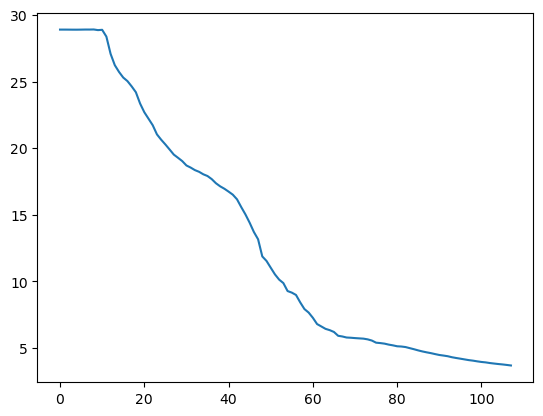
Image 1 of 1: ‘A line graph showing the salinity readings from the Argo float data.’

Image 1 of 1: ‘A line graph showing the temperatuer from the Argo data with axes labels.’
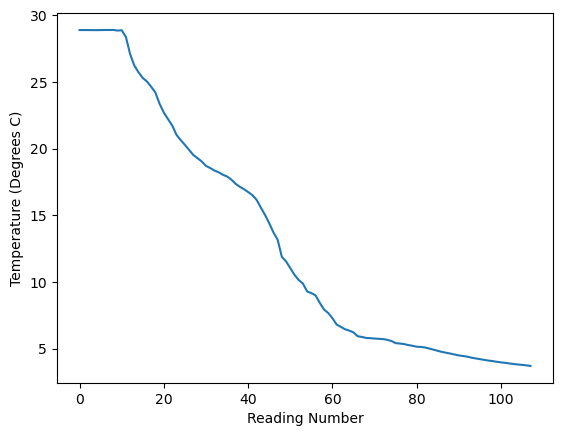
Image 1 of 1: ‘Three line graphs showing the temperature, salinity and presssure.’

Image 1 of 1: ‘A scatter graph comparing temperature and presssure.’
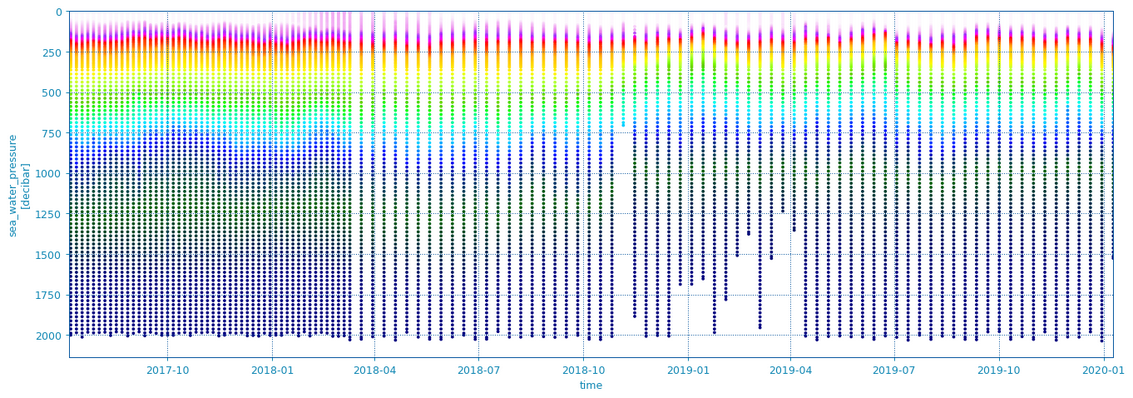
Image 1 of 1: ‘A scatter graph from Argopy showing temperature, depth and time.’